Troubleshooting · 7 min read · Updated on 2026-11-17
M3U playlist not loading: 10 causes and how to fix them
When an M3U link opens on one device but fails in a web browser, the culprit is usually CORS headers, mixed HTTP/HTTPS requests, or unsupported codecs. Walk through these 10 checks to pinpoint the cause.
Causes 1 to 5: Network, CORS, Mixed Content, URL typos, and max_connections limits
When an M3U playlist refuses to load or spins endlessly inside a web browser, guessing randomly wastes time. Almost every failure traces back to one of ten concrete technical causes — starting with browser security policies and credential limits.
1) Upstream CORS blocking: Web browsers block cross-origin XHR/fetch video requests when the media server omits Access-Control-Allow-Origin headers. 2) Mixed Content (HTTP inside HTTPS): Modern browsers block plain http:// streams inside secure https:// web apps. ZavoxPlayer solves both automatically by attempting direct playback first and engaging its rate-limited, zero-log /api/stream fallback proxy only when blocked.
3) Hidden spaces, smart quotes, or truncated URLs: Copying long get.php links from messaging apps frequently drops characters after an ampersand (&) or adds invisible line breaks. 4) Simultaneous connection limit reached (max_connections=1): If a living-room TV or background mobile app is already streaming from your single-slot external account, the server rejects new requests with HTTP 401, 403, or empty playlists. 5) Expired external playlist subscription: Your ZavoxPlayer software license and your external media provider subscription are completely independent; verify under Xtream login whether the external line itself expired.
- Always test Open Demo first: if the open demo test streams play smoothly, your browser, audio, and network are working.
- Disconnect other TVs or mobile apps using the same external line before retesting.
- Paste your URL into a plain text field first to verify http:// or https:// and full query parameters.
Causes 6 to 10: Container mismatches, codecs, browser shields, and ISP routing
6) Live MPEG-TS (.ts) vs HLS (.m3u8) mismatch: Some servers label raw .ts streams without extensions or serve #EXTM3U manifests on .ts paths. ZavoxPlayer uses new URL() resolution (preventing broken concatenated segment paths) and automatically falls back across HLS, MPEG-TS, and Native engines, while also letting you test each engine manually under Settings › Advanced.
7) Unsupported audio or video codecs (AC3 / EAC3 / older HEVC): Certain raw movie rips encode surround audio in Dolby AC3 without AAC stereo tracks, resulting in picture without sound on browsers lacking native AC3 licensing. 8) Aggressive antivirus "Web Shields" or ad-blocker extensions: Browser extensions or desktop antivirus HTTPS scanners sometimes intercept port :8080 or .ts segment requests; test in a clean profile or disable extension filtering for the player domain.
9) Stale cached domain after provider migration: If your external provider changed server hostnames, edit the saved profile URL and trigger a fresh sync to update local IndexedDB entries. 10) Temporary upstream server outage or ISP congestion: Live events occasionally overload under-provisioned external panels; testing a VOD item vs a TV channel quickly reveals whether only live transcoders are overloaded.
Why honest web players do not include fake "Carrier DNS Unblock" switches
You may have seen web apps claiming to offer a magic "Network DNS (Carrier Unblock)" toggle inside browser settings. Technically, sandboxed web applications cannot change the operating system DNS resolver of Windows, macOS, Android, or iOS. ZavoxPlayer removed deceptive placebo toggles so every setting in Settings › Advanced represents real, verifiable browser media behavior.
Similarly, massive playlists with 30,000+ entries used to freeze older browser players by blocking the main JavaScript thread. Because ZavoxPlayer runs M3U and XMLTV parsing inside dedicated Web Workers with IndexedDB persistence and debounced search, large lists remain responsive even on mid-range smartphones.
Step-by-step instructions
- 01.
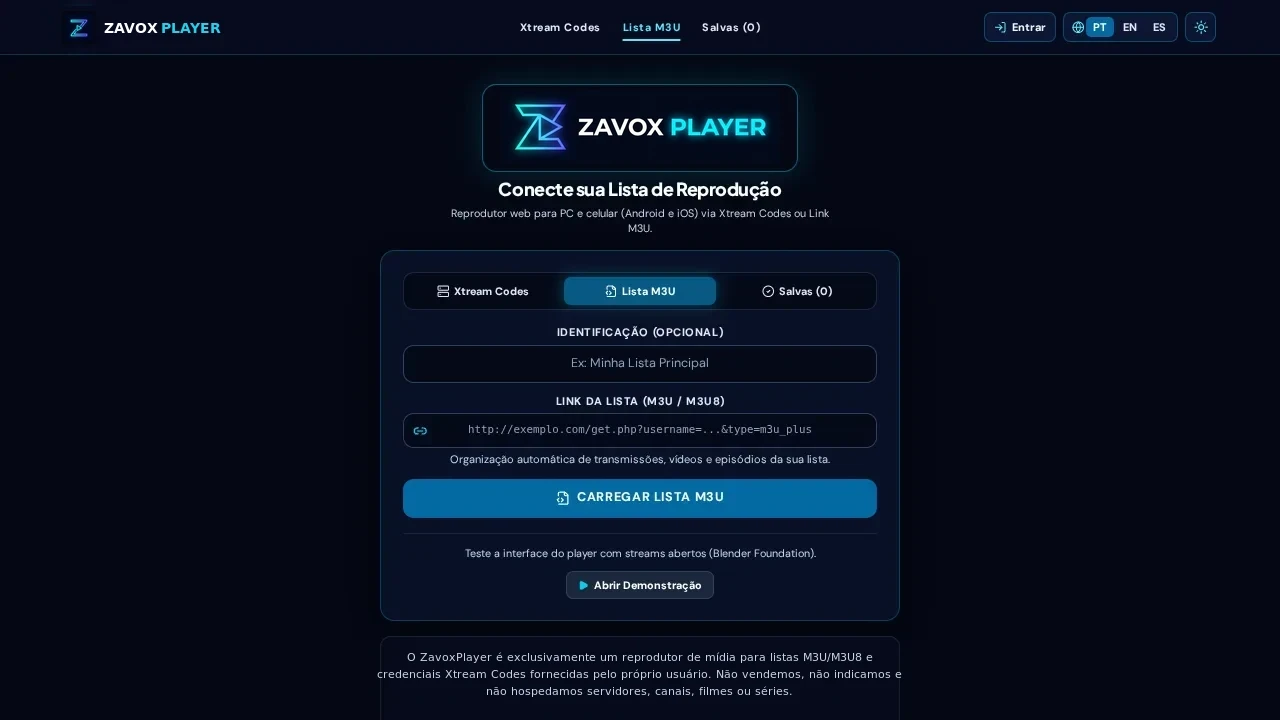
Run the 10-second Open Demo baseline test
Open /app?demo=1 and play one of the open test streams. Smooth playback confirms your browser codecs, GPU decoding, and internet connection are healthy.
- 02.
Audit URL syntax and close competing streams on other screens
Verify your playlist URL starts with http:// or https:// without spaces, and ensure no other TV or phone is occupying a single-connection slot on your external source.
- 03.
Prefer Xtream Codes or output=m3u8 links when available
If a giant raw .ts M3U link times out on slow connections, switch to Xtream Codes login or change output=ts to output=m3u8 if supported by your provider.
- 04.
Test manual engine selection under Settings › Advanced
Keep Automatic for daily use, or temporarily test HLS, MPEG-TS, or Native under Settings › Advanced if one specific broadcast uses non-standard headers.
Guide FAQ
Does the /api/stream fallback proxy log my stream URLs or credentials?
No. /api/stream operates strictly as a rate-limited technical fallback for CORS or HTTP-under-HTTPS streams, enforces anti-hotlinking, and never writes user stream URLs or credentials to logs.
Why do I get video with no audio on a specific MKV movie?
Most desktop browsers decode AAC, MP3, and Opus audio natively, whereas raw AC3/DTS cinema tracks depend on OS hardware support. Try switching audio tracks in the player or using Safari/Edge with OS Dolby support.
Why does ZavoxPlayer stay fast even with 40,000 playlist items?
All M3U and EPG text parsing executes inside background Web Workers and persists in IndexedDB, keeping the React UI thread responsive.
Ready to try ZavoxPlayer?
Open the zero-signup demo or sign in with your email for a 48h free trial.