PWA Mobile App · 5 min read · Updated on 2026-11-17
How to install ZavoxPlayer as an app on Android and iPhone (PWA)
As a Progressive Web App, ZavoxPlayer installs straight from Chrome, Edge, or iOS Safari onto your home screen without an app store download.
What a Progressive Web App (PWA) is and why it beats sideloading APKs
Downloading random .apk files from forums or messaging groups is one of the fastest ways to infect an Android phone with adware or credential-stealing trojans, while iPhone users face constant App Store removals of generic M3U utilities. A Progressive Web App (PWA) solves both problems using official W3C standards built into Android Chrome/Edge and iOS Safari.
When you install ZavoxPlayer as a PWA, your operating system places an authentic ZavoxPlayer icon on your Home Screen or desktop launcher and opens `/app` in `display-mode: standalone`. All browser address bars and tab switchers disappear, giving you maximum screen real estate while keeping full browser security sandboxing and instant automatic updates.
Following clean UX rules, ZavoxPlayer displays the Home Screen Shortcut helper card only on mobile devices, only when the app is not yet running in standalone mode, and lets you dismiss it permanently with one tap if you prefer regular browser tabs.
- Zero external .apk sideloading or "Install unknown apps" security warnings.
- Tiny storage footprint compared to bloated 150 MB native wrappers.
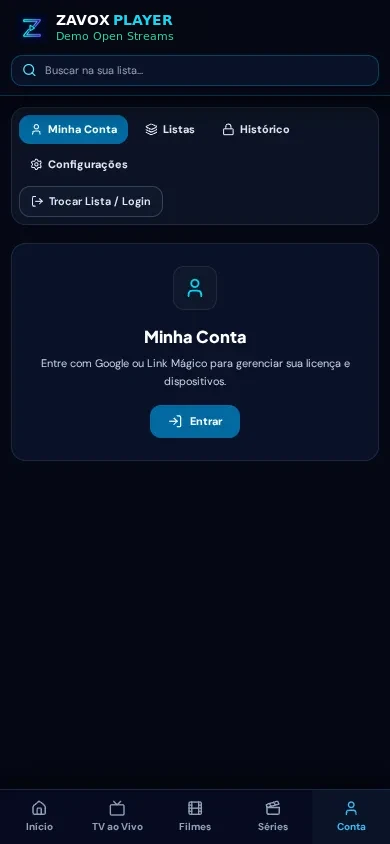
- Dedicated mobile bottom tab bar (Home, TV, Movies, Series, Account) optimized for one-handed use.
- Automatic software updates every time you launch the app.
Platform-specific installation: Android (Chrome/Edge) vs iPhone & iPad (Safari)
Android and iOS handle PWA installation slightly differently, so ZavoxPlayer adapts its instructions automatically to match your device. On Android smartphones and tablets using Google Chrome or Microsoft Edge, the browser exposes the native `beforeinstallprompt` event: tapping Install App inside ZavoxPlayer (or from the browser ⋮ menu) installs the app icon directly onto your launcher and app drawer.
On iPhone and iPad, Apple requires PWA installation to start from Safari. Open `/app` in Safari, tap the Share button (the square with an upward arrow), scroll down, and tap Add to Home Screen, then tap Add in the top-right corner.
True fullscreen landscape behavior without fake CSS screen rotation
Some poorly coded web players try to "rotate" their entire interface using CSS transforms (`transform: rotate(90deg)`), which breaks touch coordinates, clips modals, and fights OS gestures. ZavoxPlayer removed artificial CSS interface rotation completely.
Instead, when you enter fullscreen video playback on Android Chrome/Edge, the player invokes the official Web Screen Orientation API (`screen.orientation.lock("landscape")`) where supported, and degrades silently on iOS Safari where native AVKit fullscreen handles portrait/landscape rotation smoothly.
Step-by-step instructions
- 01.
Android: Open /app in Chrome or Edge and tap Install App
Tap the native Install App prompt shown on mobile (or open the ⋮ browser menu → Install app) and confirm to add ZavoxPlayer to your Android launcher.
- 02.
iPhone / iPad: Open /app in Apple Safari and tap Share → Add to Home Screen
Use Safari (not an in-app chat webview), tap the Share icon, select Add to Home Screen, and tap Add.
- 03.
Windows / macOS Desktop: Click the Install icon in the Chrome or Edge address bar
Click the monitor-with-arrow icon on the right side of the URL bar to pin ZavoxPlayer to your Windows taskbar or macOS Dock.
- 04.
Sign in once inside the installed PWA to link your account
Log in with Google or email Magic Link inside the standalone window to sync your 48h trial or paid license across up to 3 devices.
Guide FAQ
Does the PWA work offline without an internet connection?
The app shell launches quickly, and your saved playlist metadata is cached in IndexedDB, though live streams and online VOD videos naturally require an active internet connection.
Why do I not see Add to Home Screen on iPhone?
Make sure you opened /app inside real Apple Safari rather than an embedded browser inside WhatsApp, Telegram, or Gmail.
Does installing the PWA count as an extra device on the same phone?
On iOS, Safari tabs and standalone Home Screen PWAs maintain separate browser storage sandboxes; if you switch permanently to the Home Screen icon, you can unlink any unused browser slot anytime in My Account.
Ready to try ZavoxPlayer?
Open the zero-signup demo or sign in with your email for a 48h free trial.